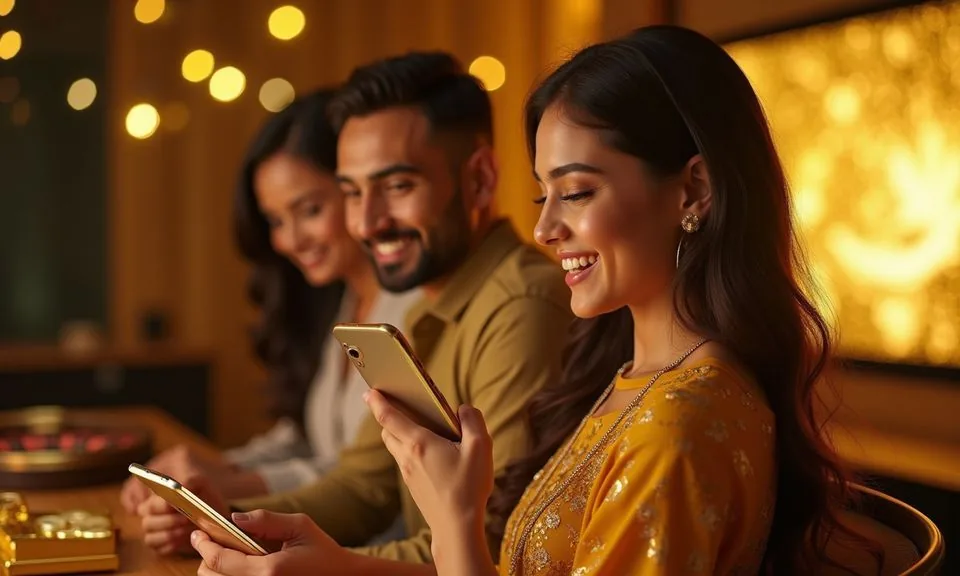
The 1111bf lobby loads through your mobile browser — no file download required to reach your account, check your wallet or browse game categories. Access availability depends on local law and eligible regions in Bangladesh.
When you open 1111bf in a mobile browser, the layout adjusts to your screen width automatically. The navigation bar collapses into a compact menu so the game lobby, account area and support links stay within a thumb's reach.
RENDERED PAGE BEHAVIOUR
Mobile Access Features You Can Verify Right Now
These are the browser-rendered behaviours you can confirm directly when you open 1111bf on a mobile device. Each point describes what the page does on-screen — not inferred native-app functionality. Check each one after you sign in to confirm it matches your device.
Responsive Layout
The page layout reflows for smaller screens without a separate mobile URL. Menu items, game cards and account buttons resize to fit portrait and landscape orientations. You do not need to zoom or scroll sideways to reach any main section of the site.
Account Wallet Access
Your account wallet is accessible from the mobile menu after you sign in. Deposit records linked to Rocket or Upay appear in the transaction history tab. No separate app login is needed — your browser session carries the same account state as desktop.
Game Discovery on Mobile
The game lobby renders as a scrollable rail on mobile screens. Categories for slots, live casino and the sports section are reachable from the collapsed top menu. Titles from studios such as Spadegaming and Habanero load within the browser without additional plugins.
Help Pages on Device
Support and FAQ pages are part of the same responsive site. You can reach the published help section from the mobile menu footer. No separate help app is required, and the support contact routes shown on desktop are the same ones visible on mobile.
ACCESS STEPS WALKTHROUGH
Mobile Access in 3 Steps
Follow these steps to open 1111bf on a mobile device using your browser. These steps cover the browser route only — no APK file, no app-store installation and no third-party download is involved.
Open the Current Site
Type the 1111bf domain directly into your mobile browser address bar. Do not search for it through a third-party link — go straight to the domain to confirm you are on the correct page. Check that the address bar shows the right domain before proceeding.
Check Browser Compatibility
The site works with current versions of Chrome, Firefox and Safari on Android and iOS. If the layout does not render correctly, try refreshing the page or switching to a different supported browser. Clear your cache if you see an outdated page version.
Sign In to Your Account
Use your registered credentials on the sign-in screen. After authentication, the account dashboard and game lobby become accessible from the mobile menu. Your wallet balance and deposit records — including Rocket and Upay transactions — are visible in the account section.
Save the Page for Quick Return
Use your browser's add-to-home-screen option to create a shortcut on your device. This is a browser bookmark, not a native app install. It opens the site directly without typing the address each time, and the shortcut works the same way as the browser tab.
DEVICE COMPATIBILITY CHECK
Checking Your Device Before You Start
Compatibility for mobile browsing depends on your browser version and screen size, not on a specific operating system build. These checklist items help you confirm your device is ready before you sign in.
Browser Version
Use a browser updated within the last six months. Older browser builds may not render the game lobby or wallet section correctly. Check your browser settings for an available update before opening the site on an older device.
Screen Layout Support
The site is designed for screens from 360px wide upward. Most Android and iOS phones released in recent years meet this requirement. If elements overlap or text is cut off, rotate to landscape or try a different browser.
Account Requirements
You need a registered 1111bf account to access the full lobby and wallet on mobile. The sign-in form is the same across devices. If you have not yet registered, the account creation form is accessible from the mobile site home screen.
Supported Access Regions
Mobile access is available where local law and eligible regions permit. A region or availability notice on the page is the accurate signal for your location. Do not rely on third-party sources to confirm access for your area in Bangladesh.
Connection Requirement
A stable mobile data or Wi-Fi connection is needed for live casino tables and video-based game content. The account and wallet pages load under lower bandwidth, but live game streams require a consistent connection to stay in the session.
HELP ROUTES FOR MOBILE
Getting Help When You Are on Mobile
Support routes for mobile users are the same ones published on the main site. There is no separate mobile support channel. Reach the help section through the footer menu in your mobile browser after signing in.
On-Site Help Section
The published FAQ and help pages are reachable from the mobile site footer. They cover account access, wallet queries and common browser issues. Start here before using a direct contact route — most mobile access questions are answered in the published pages.
Account Transaction Check
If a Rocket or Upay deposit does not show in your balance, open the transaction history tab in your account wallet. The record there reflects the current status. If the status shows pending beyond the timeframe shown on the deposit page, use the contact route to follow up.
Contact Route via Site
The contact or live-chat option shown in your signed-in account is the verified route for direct support. Access it from the support menu visible after login on mobile. Do not use contact details from third-party sources — only what is published on the 1111bf site.
ACCOUNT SAFETY ON MOBILE
Mobile Trust Checks Before You Play
Using 1111bf on a mobile browser carries the same account security responsibilities as desktop access. These four checks help you protect your credentials and avoid phishing attempts that circulate in Bangladesh via messaging
Verify the Domain First
Always confirm the address bar shows the correct 1111bf domain before entering any credentials. Phishing copies of gaming sites are common in Bangladesh. A mismatch in the URL — even one character — means you should close the tab immediately and retype the address.
Review Published Device Guidance
The site publishes device and browser guidance in the help section. Check this page if you are using a new phone or a recently updated browser. Relying on guidance from the official help page avoids mistakes based on outdated third-party advice.
Protect Your Credentials
Do not save your 1111bf password in a shared browser profile or a public device. If you share a phone, use private or incognito mode so your session does not persist after you clo
Use the Published Recovery Path
If you cannot sign in on mobile, use the account recovery option on the login page — not a third-party reset service. The recovery steps shown on the site are the verified route. Keep your registered mobile number or email address accessible for the verification step.
APP ACCESS QUESTIONS
Common Questions About the 1111bf App
These are the questions we see most from Bangladesh users looking to access 1111bf on a mobile device. Each answer addresses app access, browser behaviour and account steps — not general platform features.
Is there a 1111bf app available to download from the Play Store or App Store?
There is no confirmed 1111bf app listed in the Google Play Store or Apple App Store at this time. The verified access route for Bangladesh is through your mobile browser. Open the 1111bf domain directly and the site loads as a responsive mobile page without any download needed.
Can I use the 1111bf mobile site without creating an account first?
You can browse parts of the mobile site without signing in, but the full lobby, wallet and game access require a registered account. The sign-in and account creation screens are accessible from the mobile site home. Complete registration through the form shown on the page.
Which browsers work with the 1111bf mobile site in Bangladesh?
Current versions of Chrome, Firefox and Safari work with the 1111bf mobile site. Keep your browser updated for the best rendering. If a game lobby section does not load correctly, try clearing the browser cache or switching to an alternative supported browser before contacting support.
Will my Rocket or Upay deposit show in my wallet on the mobile site?
Yes, your account wallet on mobile reflects the same balance and transaction records as the desktop version.
How do I add the 1111bf mobile site to my phone home screen?
Use the add-to-home-screen option in your mobile browser — usually found in the browser's share or settings menu. This creates a shortcut that opens the site directly. It is a browser shortcut, not a native app install, so it does not add a standalone app to your device storage.
What should I do if the 1111bf mobile site is not loading on my device?
First, confirm you are using the correct domain by typing it directly into the address bar. Then clear your browser cache and refresh. If the issue continues, try a different supported browser. Check the on-site help section for any published notices about access or maintenance affecting your region.
 Live / Sports